Find Window

The Find window is opened when either of the following actions are performed using a single-select button:
• The Find Item button ( ) is selected.
) is selected.• The Advanced Find option is selected.
The top section of the window is where the selection criteria is entered.
|
Action
|
Description
|
|---|---|
|
Text boxes
|
Enter all or part of the word in the text boxes provided. The wildcard can be used.
|
|
Search
|
After all of your selection criteria is entered in the text boxes, click Search to find matching records.
|
|
Clear
|
Click this button to clear all selection criteria from the text boxes.
|
After the Search button is selected, the bottom section of the window is populated with a list of the matching records and the following controls.
|
Action
|
Description
|
|---|---|
 or or |
Click this button to configure the columns that are displayed in the search results.
|
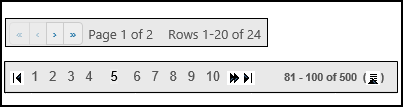 |
Use the pagination buttons to navigate from page to page when there are too many records to fit on one page. You can also try to narrow your search criteria to return fewer records.
|
|
OK
|
Select a row from the search results and click the OK button to close the Find window. The single-select button now displays your selection and the page is loaded with information that matches that selection.
|
 |
Click the Select Item button next to an item to select and use that item.
|
To make your selection, do one of the following actions based on the method used to access the Find window.
|
Method
|
Action
|
|---|---|
|
If you used the Find Item button (
 ) ) |
Select a row from the search results and click the OK button.
|
|
If you used the Advanced Find option
|
Click
next to an item. |
The Find window is closed and the single-select button now displays your selection and the page is loaded with information that matches that selection.
 |
These settings can improve the search performance time.
• The FIND_PART_LOAD_BLANK global setting can be set to true to open the Find Part window with no parts loaded.
• The DISPLAY_PART_TYPE_AS_PICKER global setting can be set to true to change the Part Type selector from a dropdown list to a Find window.
|